
Understanding Async, Await, and Promises in JavaScript
Promises and async/await from the ground up, with examples: fetching data, handling errors, and when to use which.
In the world of JavaScript, asynchronous programming is not just a convenience, it's a necessity. From API calls to timers and event handling, much of JavaScript's real power is unlocked when you master Promises, async/await, and how they work under the hood.
This blog will take you from the foundational concepts of Promises to the elegance of async/await, with clear examples, explanations, and real-world use cases.
Why Asynchronous Programming Matters
JavaScript runs in a single-threaded environment (i.e., one task at a time). Blocking operations like network requests or long computations can freeze the entire UI if not handled asynchronously.
Imagine this scenario:
const data = fetch('https://api.example.com/users');
console.log(data); // Won’t work as expected!
The fetch call is asynchronous—it returns a Promise. If we don’t handle it correctly, our code becomes unpredictable or breaks.
What is a Promise?
A Promise is a JavaScript object that represents the eventual completion or failure of an asynchronous operation.
States of a Promise:
- Pending – initial state
- Fulfilled – operation completed successfully
- Rejected – operation failed
Basic syntax:
let promise = new Promise((resolve, reject) => {
  // async operation
  if (/* success */) {
    resolve("Success!");
  } else {
    reject("Failure!");
  }
});
Consuming a Promise with .then() and .catch()
promise
  .then(result => console.log(result))   // if resolved
  .catch(error => console.error(error)); // if rejected
Real-Life Example: Fetching Data from an API
fetch('https://jsonplaceholder.typicode.com/users')
  .then(response => response.json())
  .then(data => console.log(data))
  .catch(error => console.error('Error', error));
Here, each .then() returns a new Promise. This chaining can become messy and hard to debug when there are many steps.
Enter async and await: Syntactic Sugar for Promises
Introduced in ES2017 (ES8), async/await simplifies working with Promises and makes asynchronous code look synchronous.
Declaring an Async Function
async function fetchUsers() {
  let response = await fetch('https://jsonplaceholder.typicode.com/users');
  let users = await response.json();
  console.log(users);
}
Key concepts:
asyncfunctions always return a Promise.awaitpauses the execution inside an async function until the Promise settles.- Only use
awaitinside an async function.
Error Handling with Try/Catch
async function fetchData() {
  try {
    const res = await fetch('https://api.example.com/data');
    const data = await res.json();
    console.log(data);
  } catch (err) {
    console.error("Fetch failed:", err);
  }
}
This approach makes error handling much more readable than .catch() chaining.
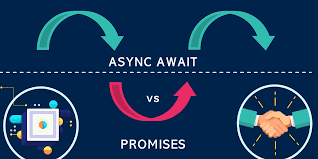
Comparison: Promise Chaining vs Async/Await
Using Promises:
getUser()
  .then(user => getPosts(user.id))
  .then(posts => displayPosts(posts))
  .catch(error => handleError(error));
Using async/await:
async function showPosts() {
  try {
    const user = await getUser();
    const posts = await getPosts(user.id);
    displayPosts(posts);
  } catch (error) {
    handleError(error);
  }
}
When to Use Promises vs Async/Await
Use Promises when:
- You need concurrent control (
Promise.all,Promise.race) - You're in a non-async environment (e.g., constructors)
- You prefer chaining for shorter workflows
Use async/await when:
- You want clean, readable code
- You're dealing with long, nested asynchronous logic
- You need better try/catch error handling
Real-World Use Case: Fetch and Display GitHub Users
const URL = "https://api.github.com/users";

async function displayUsers() {
  try {
    const response = await fetch(URL);
    const users = await response.json();
    users.forEach(user => {
      console.log(`${user.login} - ${user.html_url}`);
    });
  } catch (err) {
    console.error("GitHub API error:", err);
  }
}

displayUsers();
Mastering asynchronous programming in JavaScript is essential for building responsive, scalable, and modern web applications.
- Promises give you control over asynchronous flow.
async/awaitgives you clarity and elegance.- Understanding both lets you build smarter, faster, and cleaner JavaScript apps.
First published on the author's blog. Read the original ↗